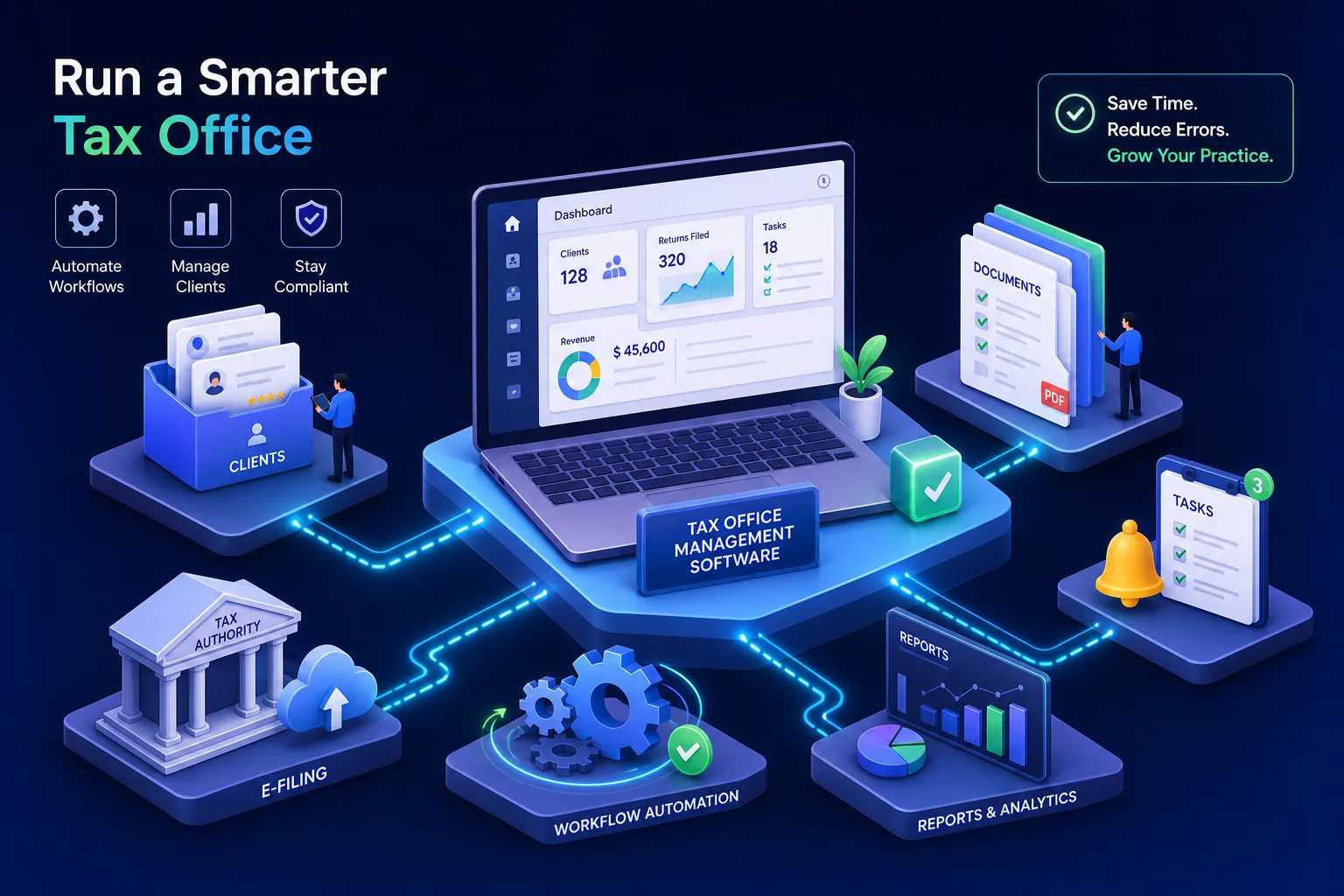
If you run an independent tax office, you may already be using a form of tax office management software, it's just scattered across five different apps, three browser tabs, and a phone full of client texts.
The average small tax office stitches together a spreadsheet for client tracking, a personal phone for messages, a free scheduling link, Venmo or Zelle for payments, and a Gmail account for document collection. That setup works fine until tax season hits and everything starts breaking at once. Documents get buried in inboxes. Clients book and then no-show because nobody sent a reminder. You end the day realizing you never followed up with three people who quietly went somewhere else.
There is a better category of tool built specifically for this kind of operation. Tax office management software is the operational layer that sits between you and your clients, handling everything the tax engine doesn't. Platforms like Hola Conecta exist to close this gap for independent and bilingual tax offices. Understanding what this software actually includes is the first step toward fixing the problem.
What tax office management software actually is (and what it isn't)
This category gets confused with tax preparation software constantly. That confusion leads tax offices to buy the wrong tools, or assume they already have what they need because they have Drake or TaxSlayer. Those are two completely different types of software solving two completely different problems.
The operational gap that tax prep software leaves open
Tax preparation software handles the return: calculations, IRS forms, e-file submissions. It does not handle the client relationship before the return starts or the office operations around it. Most tax engines lack built-in client intake forms, document request workflows, appointment schedulers, payment collection, and follow-up systems. That gap is exactly what tax office management software, sometimes called tax workflow software or tax practice management software, is designed to fill.
Where the management layer fits in your workflow
Think of your tax office as having two systems running in parallel. One is the compliance engine that prepares and files returns. The other is the client-facing and operational layer: how clients find you, how they submit documents, how they book time with you, how they pay, and whether they come back next year. Tax office management software owns that second layer entirely, and it should connect to your tax prep tool rather than replace it. When both systems work well, your office runs the way it's supposed to.
The five operational layers a complete platform should cover
Not every tool marketed as tax practice software covers all five of these layers. Some are primarily workflow trackers. Others focus on document management but skip communication entirely, platforms like SmartVault, for example, handle secure storage well but don't include scheduling or follow-up automation. If your office has the classic one-client-six-apps problem, see our write-up on tax office app sprawl for concrete examples of how the patchwork breaks down in practice.
Client data, intake, and document management
A real tax office software platform keeps every client in one place: contact information, return history, tags, notes, and communication logs. It should also handle document collection through a secure portal where clients upload W-2s, 1099s, and identification without emailing sensitive files. If you want a deeper view of options for a secure, accountant-focused client portal, review this guide to client portal software for accountants. Without a clean client record connected to their documents, you are already working harder than you need to be, and that is the foundation everything else sits on.
Tax office management software for scheduling, payments, and client communication
Appointment booking should be integrated so clients can schedule consultations without a back-and-forth text thread. Payments should be collectable through the same system, not through a separate app you link to manually. And communication, whether that's SMS, email, or WhatsApp, should live alongside the client record so you can see every message thread in context. When these three layers are disconnected, you create friction for the client and extra work for yourself.
Automated follow-ups and client retention
The layer most tax offices skip is the one that drives long-term revenue: tax practice automation. A complete platform sends return reminders, appointment confirmations, post-season check-ins, and tax deadline alerts without you doing it manually. If you're evaluating automation features, it's helpful to compare approaches described in roundups of the best workflow automation software so you understand what automation can do for reminders and client journeys. This is the feature that separates offices with strong year-over-year client retention from the ones starting over every January. Many independent preparers report losing a significant share of prior-year clients each season, not because those clients were unhappy with the service, but because no one followed up.
The real cost of running your office on disconnected apps
The patchwork setup feels manageable until it isn't. Separate tools create real revenue loss, client churn, and professional risk that compounds across a busy tax season. The inconvenience is the least of it.
Where the gaps between tools actually hurt you
When your client communication lives in your personal phone, your documents are emailed to Gmail, and your appointments are booked through a third-party link that connects to nothing else, there is no single place to see what is happening with any given client. You miss follow-ups. Documents get lost. Clients book and then no one reminds them, so they don't show. Each of those moments is a small failure that adds up fast during a busy season.
What you are actually paying in time and lost clients
Recapturing a lost client costs far more in time and marketing than retaining them with a single automated message in October. The clients who quietly went somewhere else didn't leave because they were unhappy with your work. They left because no one reached out.
For an office with 200 active clients, losing even a fraction of them due to weak communication is a meaningful hit to annual revenue, and most of those losses are preventable with the right tax workflow software in place.
All-in-one vs. purpose-built: why the platform category matters
Not every all-in-one solution is the same. There is an important distinction between general-purpose business software configured for a tax office and platforms built from the ground up for how tax offices actually operate.
What generic CRMs get wrong for independent tax offices
General-purpose CRMs are powerful tools. They are also built for sales pipelines, not tax workflows. Configuring a generic platform to handle client intake, document requests, seasonal follow-ups, and IRS deadline reminders requires significant setup time, paid add-ons, and ongoing customization. For an independent preparer or small tax office, that setup burden often means the tool never gets fully used, and you end up paying for software that only replaces your spreadsheet.
Pricing for full-featured generic CRMs can run from $50 to well over $100 per user per month, and that's before you add the integrations you need to make it behave like a tax office tool. By contrast, purpose-built tax practice management software options like Tidyflow start around $20 per user per month for basic workflow functionality, with all-in-one platforms such as TaxDome and Canopy in the $45 to $90 range for independent and small-firm users.
What a purpose-built platform handles differently
A platform designed specifically for tax offices speaks the same language as the work. Hola Conecta is built around the rhythms of tax season: client intake flows, document collection through a secure portal, SMS and WhatsApp communication for bilingual offices, appointment booking tied directly to client records, payment collection, and automated follow-ups that bring clients back year after year. Because it was designed for this workflow from the start, none of that requires workarounds or custom configuration.
For offices serving Spanish-speaking clients, the bilingual layer isn't a plugin or an add-on. It's built in. When a client receives their appointment reminder, document request, and payment confirmation in the language they prefer, the entire relationship becomes easier to manage. That kind of specificity is what separates software you use from software you actually depend on, and it's where Hola Conecta offers a distinct advantage over generic platforms that treat bilingual support as an afterthought.
How to evaluate tax office management software before you commit
Whether you're evaluating Hola Conecta or another practice management platform for tax offices, use a consistent framework so you don't end up paying for features you don't need or missing the ones you do.
Questions to ask about fit, pricing, and security
Pricing models in this category range from under $25 per user per month for basic workflow tools to $150 or more per user per month for platforms with advanced AI or IRS-resolution tooling. Before evaluating price, confirm which features are included in the base plan versus sold as add-ons, particularly client portals, payment processing, and e-signatures. Many platforms advertise a low entry price but charge separately for the features that actually matter to a tax office.
On security, look for SOC 2 Type II compliance and explicit alignment with the Gramm-Leach-Bliley Act (GLBA), which governs how tax preparers handle non-public client financial information. Also verify that the platform supports multi-factor authentication, encryption in transit and at rest, role-based access control, and audit logs. If you want to see a vendor's public statements on those capabilities, review vendor security pages such as TaxDome security. These are not optional features for an office handling tax documents and payment data.
Signs the platform is actually built for your operation
A platform is a good fit when it works without a consultant. For an independent preparer or a small firm with two to five staff, the right tax office management software should be usable from day one without custom configuration. Ask whether it includes a client portal, built-in communication, document management, and scheduling in the core plan rather than as enterprise add-ons. If a vendor's demo requires three discovery calls before they'll show you the pricing page, the platform is probably sized for a firm ten times larger than yours.
The right platform also grows with you without forcing you to rebuild. Start with client management and document collection, then layer in automated follow-ups and payment workflows as your client base expands. That flexibility is what makes a tool sustainable for an independent practice rather than something you outgrow or never fully use.
The operational layer your tax office can't afford to skip
Tax office management software is not one thing. It is a set of interconnected layers that, when handled by a single platform, make your office more reliable, more professional, and more capable of holding onto clients year after year. The offices that grow consistently aren't necessarily the ones with the best tax preparers. They are the ones where clients always know what to do next, never lose their documents in an email thread, and hear from you before they start shopping around.
If you are still running your office on a combination of spreadsheets, personal apps, and manual reminders, the question isn't whether a dedicated platform would help. It's which one fits the way your office actually works. For independent and bilingual tax offices, Hola Conecta is worth starting with: it covers every operational layer, the bilingual experience is built in from day one, and there's no enterprise complexity to navigate before you can get to work. Start there and see how much of your current patchwork it replaces. For help preparing your plans and outreach, check our Tax Season Plans for Tax Professionals and learn tactics to book more tax appointments.