Sofia Is More Than an AI Receptionist
TL;DR (Quick Summary)
Most AI receptionists can answer calls, take messages, and schedule appointments, but they only understand the current phone call.
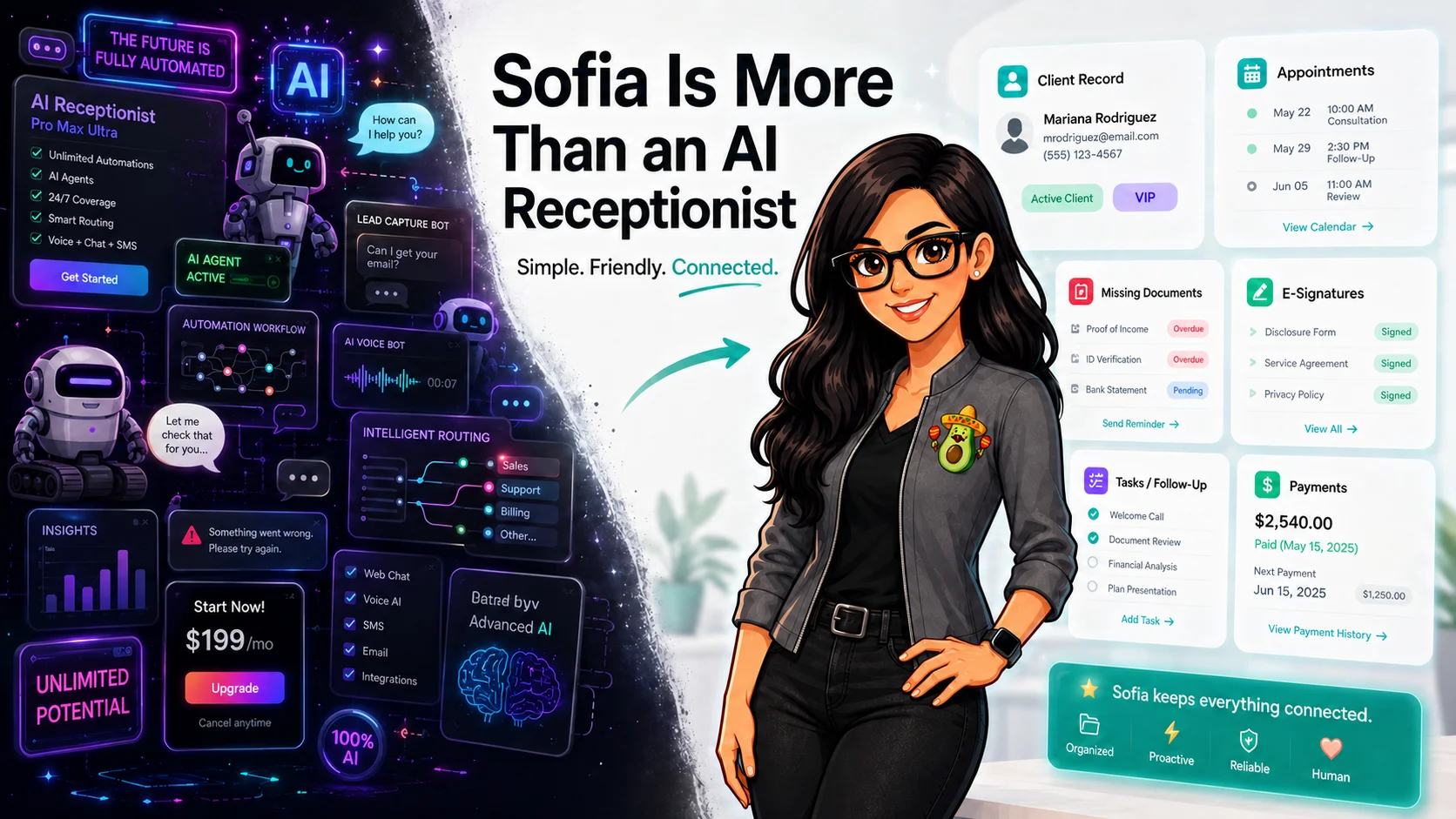
Sofia is different because she is built inside Conecta and understands the client’s full context before they even speak.
She can:
Run your tax office from one bilingual system.
See how Conecta handles clients, messages, documents, reminders, and workflows.
- Recognize who is calling and match them to their CRM record
- Check appointments, documents, and e-signatures in real time
- Update client information directly inside the system (with verification)
- Create real follow-ups instead of just taking messages
- Help resolve what is actually blocking the client’s progress
In short: Most AI receptionists connect calls to calendars. Sofia connects conversations to the client’s entire workflow.
AI receptionists are becoming increasingly common.
After researching several of the AI answering services currently being marketed to tax and accounting firms, I noticed that most of them promote a similar set of features.
They answer calls 24/7, respond to frequently asked questions, capture new leads, take messages, transfer calls, and schedule appointments through an outside calendar.
Some can also send a call summary into a CRM, create a task through an automation platform, or trigger another application after the call ends.
Those are useful features. An AI receptionist can help a tax office answer more calls, reduce interruptions, and avoid sending every caller to voicemail during tax season.
But answering the call is only one small part of serving the client.
The more important question is:
What does the AI know about the person who is calling?
That is where Sofia is different.
Most AI Receptionists Know the Call
A typical AI receptionist begins with the information provided during the current conversation.
It knows the phone number calling. It can ask for the caller’s name, collect a few details, answer general office questions, and schedule an appointment.
When the call ends, it may produce a transcript or summary. It may send those details to another system through an integration, webhook, or automation platform.
That helps the office understand what happened on the call.
But it does not necessarily help the AI understand what was already happening with the client before the call began.
Sofia was designed to work from inside Conecta, where the office already manages its clients, leads, appointments, documents, signatures, messages, tasks, and follow-up.
She does not only know that someone called.
She can understand where that person fits inside the office.
Sofia Can Recognize the Caller
When an existing client calls from a phone number connected to their Conecta profile, Sofia can match the call to the client’s CRM record.
For sensitive information, she can verify the caller using a six-digit voice PIN before accessing approved details.
That means Sofia does not have to treat every caller like a stranger.
She can determine whether the person is an existing client, review approved information from their profile, and work with the context already available inside the CRM.
This is different from collecting the client’s information again and sending it somewhere after the conversation.
Sofia begins with the relationship the office has already built.
She Can Work With the Client’s Actual Appointments
Scheduling is one of the most common features offered by AI receptionists.
But Sofia is not limited to placing a new appointment on an outside calendar.
She can work with the caller’s actual appointment information inside Conecta.
During the call, Sofia can:
- Find the caller’s upcoming appointments
- Search the office’s real availability
- Schedule a new appointment
- Cancel an existing appointment
- Reschedule an appointment
- Send an appointment confirmation by text message
That allows Sofia to handle the entire scheduling conversation instead of simply sending the caller to a booking link.
A client can call and say:
“I have an appointment next week, but I need to move it.”
Sofia can identify the appointment, find another available time, confirm the change with the client, and update it inside the system.
She Can See What Documents Are Still Missing
Document collection is one of the biggest sources of repetitive communication inside a tax office.
Clients call to ask whether their documents were received. Staff members search through files, check request lists, and explain what is still missing.
Because Sofia is connected to Conecta’s document-request system, she can check the caller’s actual document progress.
She can see:
- How many documents were requested
- How many have been received
- How many are still missing
- Which requested documents remain outstanding, when the caller is authorized to receive those details
Instead of giving a generic response such as, “Someone from the office will check and call you back,” Sofia can provide an answer based on the client’s real record.
For example:
“We received three of the five requested documents. We are still waiting for your W-2 and a copy of your identification.”
That is not an FAQ response.
It is client-specific assistance based on live information inside the CRM.
She Can Check Pending E-Signatures
The same applies to signatures.
A typical answering service can take a message that says the client is having trouble signing a document.
Sofia can check whether the matched caller has an e-signature request that is still pending.
She can identify that the office is waiting for a signature and give the caller a clear status instead of creating another vague message for the staff.
For example:
“I see that you still have an e-signature request waiting for completion.”
As Conecta’s voice tools continue expanding, this connection can even go further by allowing Sofia to help deliver the appropriate signing link after secure verification and permission.
The key difference already exists: Sofia can see the signature request because the signature system and the receptionist live in the same workspace.
She Can Read and Update Approved CRM Information
Sofia is not limited to reading information.
After securely verifying the caller and receiving clear confirmation, she can work with approved information in the client’s CRM profile.
Depending on the request, Sofia can:
- Read approved contact fields
- Update approved contact information
- Add a note to the client record
- Create a task connected to the client
- Review limited household or business relationships associated with the caller
Imagine that a client calls to update their mailing address.
A standalone receptionist may write the new address in a transcript and send it to the office. Someone on the team still has to open the message, find the client, and manually update the CRM.
Sofia can prepare the change, repeat it back to the client for confirmation, and update the approved field directly inside Conecta.
The conversation and the work happen together.
She Can Turn a Call Into Real Follow-Up
Sometimes Sofia will not be able to complete the client’s request herself.
The client may need to speak with a tax preparer. The issue may require professional judgment. A staff member may be unavailable, or the caller may specifically ask for a certain person.
Sofia can help move that work forward instead of merely recording a voicemail.
She can:
- Create a real callback task
- Connect the task to the client’s record
- Record why human follow-up is required
- Check whether a staff member is available
- Transfer the call when appropriate
- Route the caller to voicemail when necessary
The office does not receive an isolated message with no context.
The follow-up becomes part of the same system the team already uses to manage the client.
The Difference Is Not Just Integration
Many AI receptionist companies advertise integrations with thousands of applications.
Integrations are valuable. They can move information between systems and reduce some manual data entry.
But connecting an answering service to a CRM is not necessarily the same as building the receptionist into the CRM.
An integration often follows this pattern:
- The client calls.
- The AI collects information.
- The call ends.
- An automation sends the information somewhere else.
- The office decides what to do next.
Sofia can follow a different pattern:
- The client calls.
- Sofia matches the caller to the CRM.
- She securely verifies the caller when required.
- She reads the relevant client status.
- She completes an approved action or creates the correct follow-up.
- The result remains connected to the client’s record.
The CRM is not simply the destination for the call summary.
It is part of how Sofia understands and handles the call.
The Next Level: Knowing What Is Holding Up the Client
The long-term opportunity goes beyond appointments, documents, and signatures.
A truly connected AI receptionist should be able to understand the complete status of the client relationship.
That includes questions such as:
- Is the office waiting for a document?
- Is an e-signature still pending?
- Does the client have an upcoming appointment?
- Is a task already assigned to a staff member?
- Is the client connected to a business or household record?
- Is there an unpaid balance?
- Was a payment link already sent?
- Is the client waiting on the office, or is the office waiting on the client?
- What needs to happen next?
Conecta already manages many of these parts of the relationship in one workspace.
As Sofia’s secure voice capabilities expand, the goal is not merely for her to answer more questions.
The goal is for her to identify what is preventing the client’s work from moving forward and help resolve it.
Built for Tax Offices, Not Added Onto Them
Many AI receptionists are generic products designed to serve restaurants, contractors, salons, medical offices, real estate companies, tax firms, and dozens of other industries.
Their flexibility can be useful, but it also means the tax office must build the connections between the receptionist and its actual workflow.
Sofia is being developed around the daily operations of tax professionals using Conecta.
That connected workspace includes:
- Personal and business client records
- Household and dependent relationships
- Appointments
- Document requests
- E-signatures
- Tasks and follow-up
- Client notes
- SMS, email, WhatsApp, and portal communication
- Client payments
- Workflows and automations
- Staff transfers and voicemail
Sofia is not a separate voice product that happens to be sold to tax offices.
She is the voice layer of the system the tax office already uses to manage its work.
More Than “How May I Help You?”
The voice itself matters.
Sofia should sound natural, communicate clearly, support English and Spanish, and make callers feel comfortable.
But a natural voice is no longer enough to separate one AI receptionist from another.
The real differentiator is context.
A normal AI receptionist can ask:
“How may I help you?”
Sofia can go further.
She can understand who the caller is, what appointment they have, which documents are missing, whether a signature remains incomplete, and what follow-up needs to happen next.
Most AI receptionists know what happened during the call.
Sofia can know what was already happening before the client called.
That is the difference between an AI that answers the phone and an AI that can actually help move the office forward.
Sofia Is the Voice of Conecta
Sofia is more than an AI receptionist because Conecta is more than a phone system.
Conecta is the connected workspace where tax offices manage the client relationship—from the first call to the appointment, document request, signature, payment, and follow-up.
Sofia brings a voice to that workspace.
She does not simply answer calls and send the office another notification.
She can understand the client’s place inside the business, use the information the office already has, complete approved actions, and help make sure the next step actually happens.
Most AI receptionists connect the phone to a calendar.
Sofia connects the conversation to the client’s actual work.
Need a bilingual CRM built for tax offices?
Conecta combines CRM, client portal, automations, and bilingual workflows in one system made specifically for tax professionals.