How Tax Pros Can Use AI to Find and Win More Small Business Clients

A free 60-minute walkthrough using ChatGPT, Gemini, and Claude together to find local business prospects, rank the best opportunities, create personalized outreach, and start real conversations about tax, bookkeeping, payroll, or advisory services.

Free Webinar

Save Your Spot

May 20 at 1:00 PM Pacific Time

60 minutes
Live on Zoom · Free & Online
Register Now

Registration is handled securely by Zoom. You'll get the meeting link in your inbox after registering.

About This Webinar

More than basic prompts. A full workflow.

Most tax pros already know ChatGPT can write emails, translate messages, and clean up text. That is useful, but it is only the first level.

In this free 60-minute webinar, we will show tax pros how to use ChatGPT, Gemini, and Claude together as a complete workflow for finding and reaching small business clients.

We will take one local market, find construction contractors, add useful details to the list with public information, rank the best opportunities, create personalized outreach, and show how those conversations can turn into bookkeeping, payroll, tax planning, cleanup, or advisory services.

This is a practical walkthrough for tax pros who want to use AI beyond basic prompts — and actually put it to work in their practice.
AI workflow walkthrough for tax pros
What You'll Learn

A practical walkthrough from research to outreach

  1. 01
    Plan the Workflow

    Use ChatGPT as your right-hand AI to think through strategy, decide what to collect, and build the first prompts.

  2. 02
    Find Local Prospects

    Find local construction contractors who may need bookkeeping, payroll, tax planning, or advisory help.

  3. 03
    Organize With Gemini

    Use Gemini inside Google Sheets to organize the list, rank the best prospects, and build simple trackers or calculators.

  4. 04
    Prepare Outreach

    Connect Claude Desktop to Google Drive, Sheets, Docs, and Gmail to summarize opportunities and create personalized messages.

  5. 05
    Start Real Conversations

    Turn AI research into actual conversations with small business owners about bookkeeping, payroll, tax planning, or advisory services.

  6. 06
    Know the Limits

    See why manual AI work gets scattered fast when it is not connected to your tax office system.

Free Webinar · May 20 at 1:00 PM Pacific Time

60 minutes. Register on Zoom and get the link in your inbox.

Register for Free
The 5 Simple Steps

What we'll walk through, step by step

1

Plan With ChatGPT

Use ChatGPT to think through the target client, create the plan, decide what information to collect, and build the first prompts. ChatGPT is your right-hand AI from beginning to end — it helps think, plan, organize, and create.

2

Find Local Business Prospects

Use ChatGPT to find or organize a list of local construction contractors. You'll see how to build the first prospect list using public information.

3

Use Gemini in Google Sheets

Use Gemini inside Google Sheets — a tool tax pros already understand — to add useful details, rank the best prospects, build a follow-up tracker, and create simple calculators. This is where the spreadsheet gets smart.

4

Pull It Together With Claude Desktop

Use Claude Desktop connected to Google Drive, Google Sheets, Google Docs, and Gmail to summarize the best opportunities and create outreach messages. Claude pulls everything together into a ready-to-send workflow.

5

Go From Research to Real Conversations

Use the finished workflow to start conversations around bookkeeping, payroll, cleanup, tax planning, entity review, and advisory services. This is where the research gets put to use.

This Is Not Another "AI Can Write Emails" Webinar

Writing emails with AI is helpful. But this webinar goes further. You will see how AI can help with the full process: thinking through the strategy, finding possible business clients, organizing the list, ranking who is worth contacting, creating outreach, and turning those conversations into revenue opportunities. The goal is to build a workflow that actually supports your tax office — not just save you five minutes on a follow-up email.

Who This Is For

For tax offices who work with small businesses... or want to

You'll See the Tools Working Together

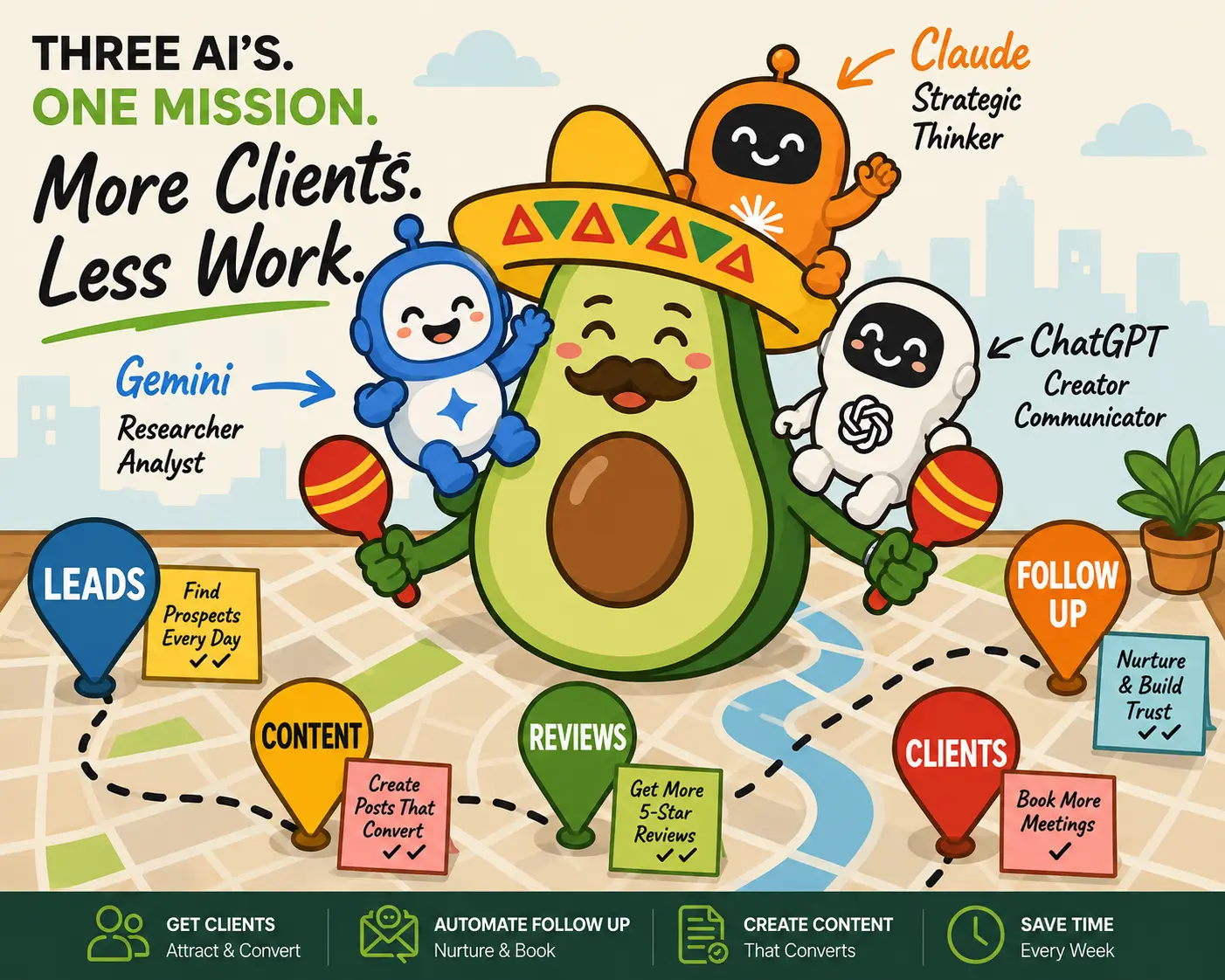
Three AI tools, one connected workflow

Each tool does something different. Together they cover the whole process from finding a prospect to sending outreach.

Steps 1 & 2

ChatGPT

Plan the strategy, write the prompts, and find the first list of local prospects. Your thinking partner from beginning to end.

Step 3

Gemini + Google Sheets

Organize the list, add details, rank the best opportunities, and build trackers. Works inside the spreadsheet tax pros already use.

Steps 4 & 5

Claude Desktop

Pull from Drive, Sheets, Docs, and Gmail to summarize the best opportunities and create ready-to-send outreach messages.

What Happens After the Manual Workflow?

The workflow is powerful. But it can get scattered.

The manual AI workflow is powerful, but it can get scattered fast. You may end up managing prompts, spreadsheets, messages, documents, follow-ups, and multiple AI tools.

That is where Conecta comes in. Conecta brings the client, communication, documents, follow-ups, appointments, workflows, and future AI-powered back office into one system for tax offices.

You are not replacing manual tax work with manual AI management. The goal is to build a workflow that actually supports your tax office.

Managing prompts, spreadsheets, messages, documents, and follow-ups across multiple tools becomes another job. Conecta turns the workflow into an actual tax office system.

See the Full Workflow Live

Join us on May 20 for a free 60-minute walkthrough built for tax pros who want to find and work with more small business clients.

Register for the Free Webinar

Wednesday, May 20 · 1:00 PM Pacific Time · 60 Minutes · Free & Online